Overview
Cybersecurity Monitoring is a Bridge Compliance feature that provides you with insight on your online security presence. With it, you can see how secure your online presence is and review suggestions on how to ensure it is as protected as possible.
Cybersecurity Monitoring is not included in all Bridge Compliance plans. If you have a plan where it is included, it is visible in the Dashboard screen and Cybersecurity Monitoring screen. For more information about your plan, contact our Customer Care team by calling 800-337-3630 or emailing [email protected].
Note: The Dashboard and Cybersecurity screens in Bridge Compliance are only available to Practice Admins and Organization Admins.
Using the Cybersecurity Monitoring Tile in the Dashboard
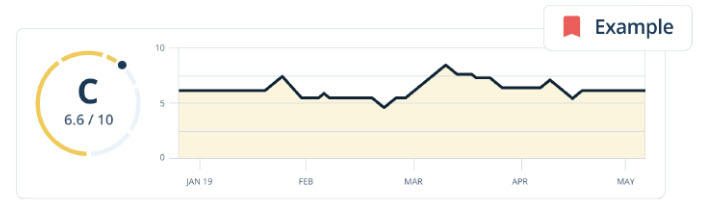
You can use the Cybersecurity Monitoring tile at the top of the Dashboard screen to:
- See how your practice's cybersecurity status has been trending.
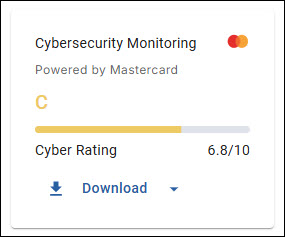
- View your cybersecurity rating.
- Download and access reports that provide a summary and detailed breakdown on your cybersecurity status.
The results in the Cybersecurity Monitoring tile and reports come from high-level data.
Cybersecurity Monitoring Reports
Two reports are available for you to generate and download:
- Summary Report: This report provides a high-level summary of your cybersecurity components, risks, and current ratings.
- Detailed Report: This report provides a detailed breakdown of your cybersecurity components by identifying gaps, sharing overall ratings, and providing suggestions to resolve issues.
The reports can be generated from the Cybersecurity Monitoring tile or the Cybersecurity Monitoring screen in Bridge Compliance. Both reports contain information, ratings, and issues for the following security domains:
- Risk Priority Report
- Company Overview
- Software Patching
- Application Security
- Web Encryption
- Network Filtering
- Breach Events
- System Reputation
- Email Security
- DNS Security
- System Hosting
Accessing Cybersecurity Monitoring Reports
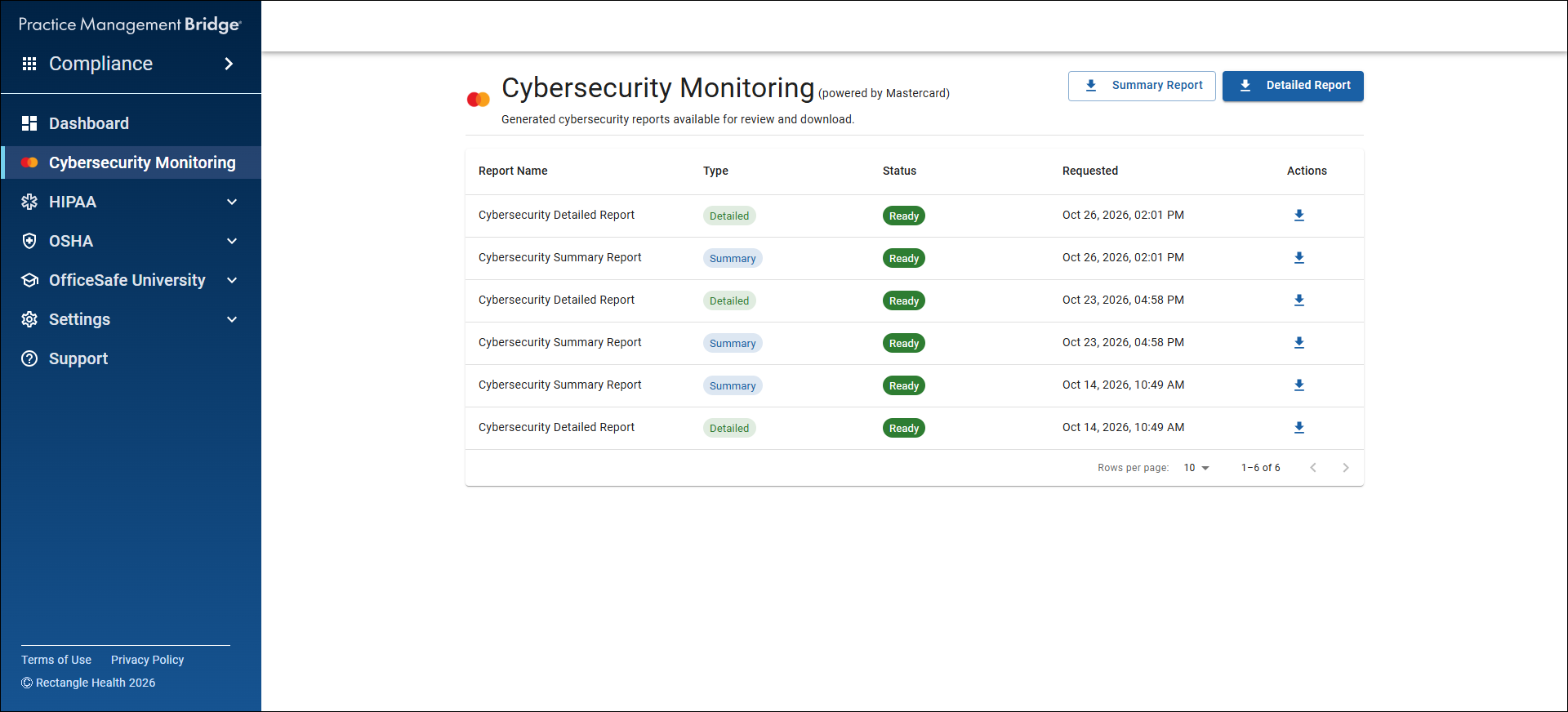
You can generate and download the reports from the Cybersecurity Monitoring screen in Bridge Compliance. The Cybersecurity Monitoring screen lists all generated reports, with the newest available at the top.
Each row identifies the following for the report:
- Report Name: Lists the name of the report.
- Type: Notes whether the report is a Detailed or Summary report.
- Status: Indicates whether the report is Ready or Generating.
- Requested: Provides when the report was requested.
The Actions column allows you to download the report if it has a Status of Ready.
Daily Report Limitations
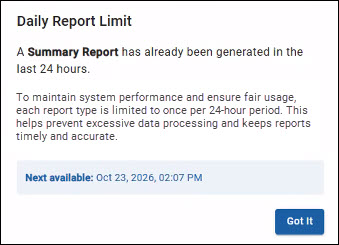
To maintain system performance and ensure fair usage, each report type is limited to once per 24-hour period. This helps prevent excessive data processing and keeps reports timely and accurate.
If you try to download a report again before the 24-hour period has passed, a Daily Report Limit pop-up will notify you that the report has already been generated in the last 24 hours. it will note when the report is able to be generated again.
Report Ratings and Issue Risk Priority Summary
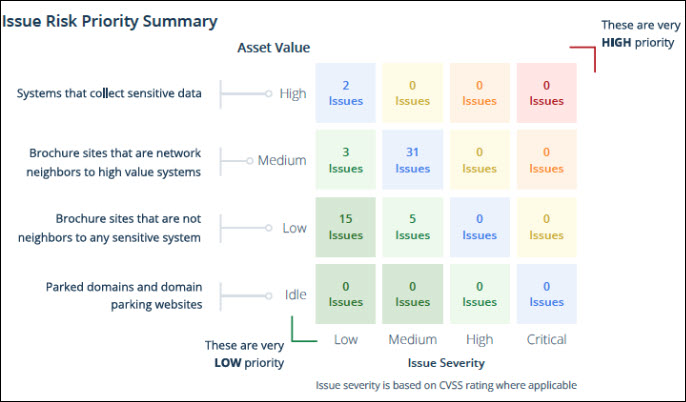
Issues are rated on a scale from 0 to 10, with 10 being the highest possible rating. This rating is provided for your overall organization, as well as for each security domain. This rating is intended to provide you with a rapid point-in-time assessment and the ability to easily monitor performance trends over time. A letter grade is also provided alongside the number rating (e.g., A for a 10, D for a 5, etc.).
The Issue Risk Priority Summary uses two additional metrics to determine ratings: Asset Value and Issue Severity.
- Asset Value: Based on whether the asset collects sensitive or valuable systems or data.
- High: Systems that collect sensitive data
- Medium: Brochure sites that are network neighbors to high value systems
- Low: Brochure sites that are not neighbors to any sensitive system.
- Idle: Parked domains and domain parking websites.
- Issue Severity: Based on CVSS rating where applicable.
- Critical
- High
- Medium
- Low
Asset Value and Issue Severity are used together to determine where the issue falls in the Issue Risk Priority Summary.