
You can view Balance Collect payments in Bridge Payments and post them to your electronic record if you use one. All transactions collected through your Balance Collect payment link are displayed under the username "balancecollect".
Interactive Walkthrough
To follow an interactive walkthrough of this process, see Viewing Balance Collect Payments.
Text Instructions
- Select Reports > Transaction Search in the left menu.
- Expand the drop-down for Username/Source and choose Balance Collect.
- Click the Submit button.
- Search for the transaction and click the TXN ID to open Transaction Details.
You can see the username "balancecollect" on the Transaction Details pop-up.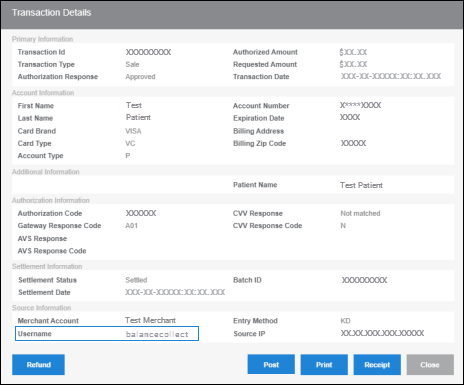
- Click the Post button.
Helpful?