
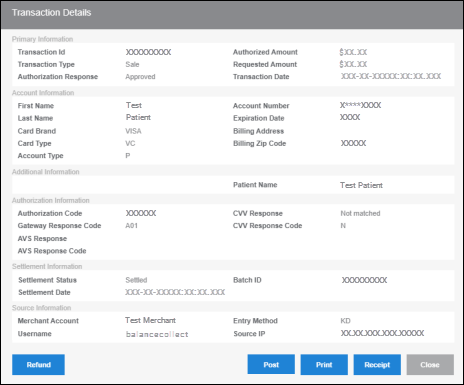
Clicking on a TXN ID for any payment in the Search Results section of Transaction Search (Reports > Transaction Search) opens the Transaction Details.
On Transaction Details, you can:
- Void/refund payments.
The button will either say Void or Refund depending on the transaction settlement status.
Void: Will appear if the transaction has not settled yet
Refund: Will appear if the transaction has settled - Access the receipt to print it or send it as an attachment.
- Post payments to your practice management system (PMS).
See the following resources for more information:
Helpful?