
You can download and install the Rectangle Health Windows Agent to set up a new computer with a card reader for payment processing or troubleshoot connectivity issues. The Rectangle Health Windows Agent is required for:
- Computers you use to process payments with a card reader, such as the Lane7000 and iSC250, or that do manual transactions that need to be posted
- Computers that host your practice management data and act as a server
The download and installation of the Rectangle Health Windows Agent Setup file is applicable to:
- First-time installers
- Individuals who want to set up a new computer with a card reader to process payments
- Individuals troubleshooting connectivity issues (gray or orange Terminal connector indicator dots) that have completed all other troubleshooting steps
Note: If you already have the Rectangle Health Windows Agent installed, downloading and reinstalling it will uninstall the previously installed version.
Instructions
- Download the Rectangle Health Windows Agent Setup file: https://download.rectanglehealth.com/3.0.27.19/RHWindowsAgentSetup_3.0.27.19.exe.
- Locate the Rectangle Health Windows Agent Setup file in either the Downloads pop-up for your web browser or in your computer's Downloads folder (File Explorer > Downloads).
- Double click on the Rectangle Health Windows Agent Setup file to open it.
The setup file's name follows the format RHWindowsAgentSetup_3.0.XX.XX. - Click Install.
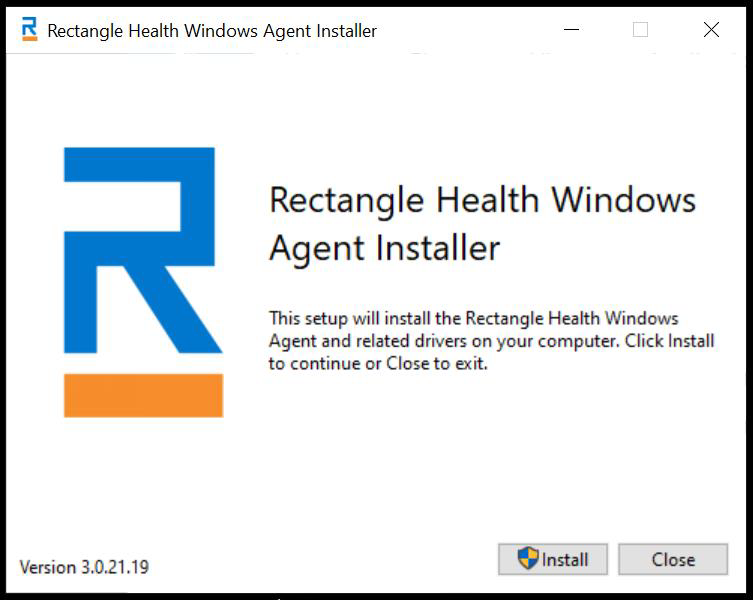
- If you are prompted, Do you want to allow this app from an unknown publisher to make changes to your device?, select Yes.
- Click Next.
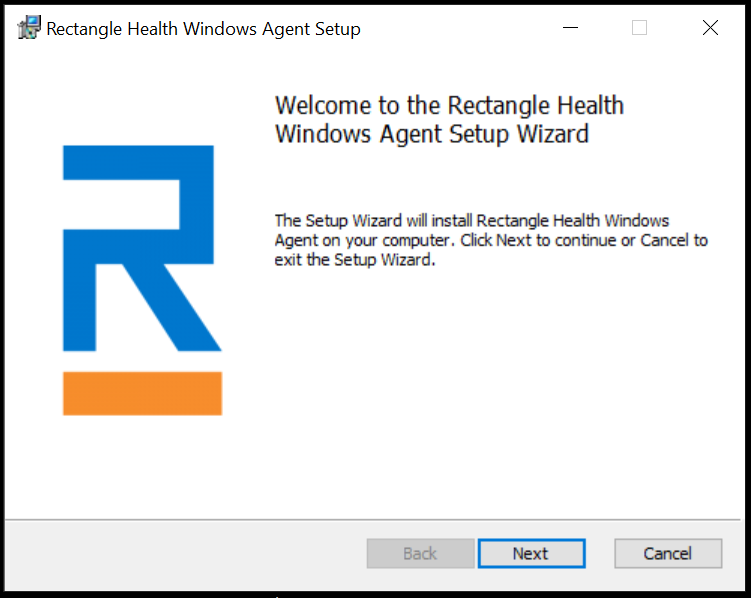
- Check the box to accept the terms and conditions, then click Next.
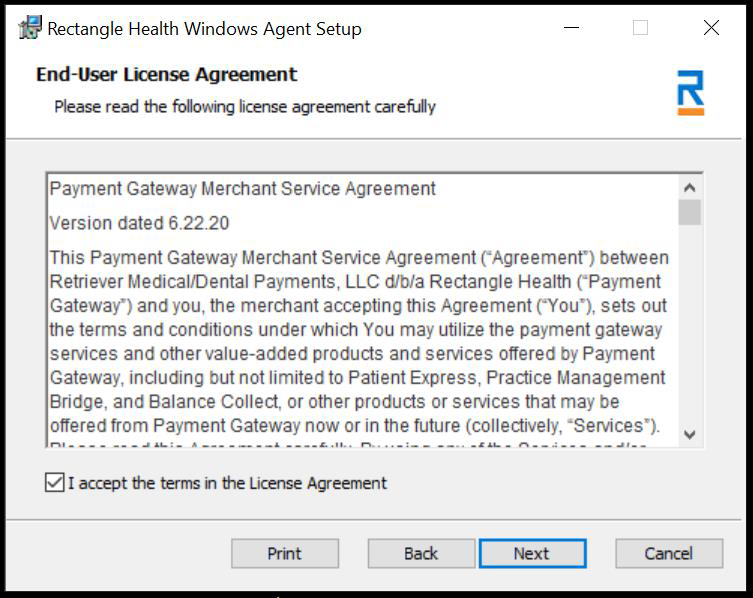
- This step varies depending on your integration.
For most: Choose Standard, then click Next.
For Eaglesoft API integration: Choose Eaglesoft, then Next.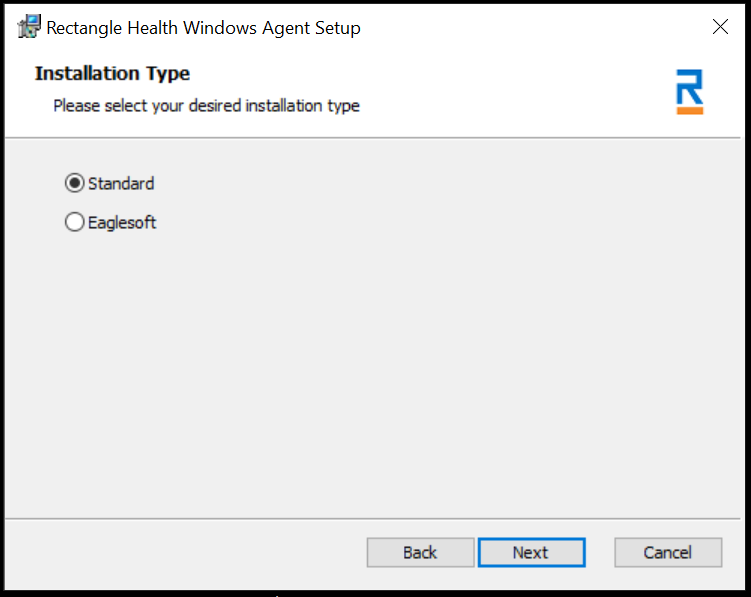
- Click Install, then wait for it to install.
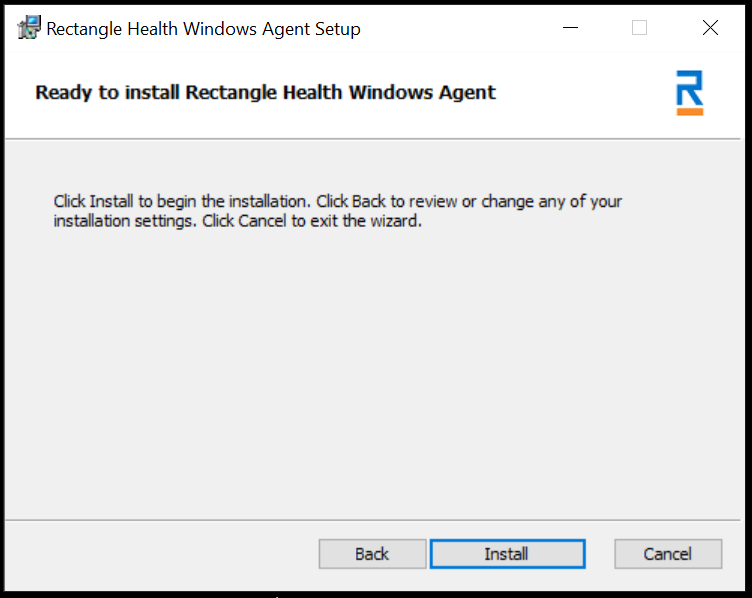
- Click Finish once available, then Close.
What Happens Next
- If you are troubleshooting a connectivity issue: There are no additional steps to take.
- If you are a first-time installer or setting up a new computer with a card reader: Complete the other installation actions in the following articles:
Helpful?