
To save time and limit errors, you can invite patients to register online at their convenience before appointments. When you invite patients through text message or email to register online, they receive a unique registration link to your practice’s registration form.
You can choose from three form types, depending on the information your practice wants to collect:
- Medical Registration with Card on File
- Medical Registration Only
- Card on File Only
When a patient stores their card on file during registration, the Vault ID associated to the patient’s credit card on file will correspond to the Patient ID in the system with the addition of a -01 for easy identification during a Vault search.
Examples of Patient Experience
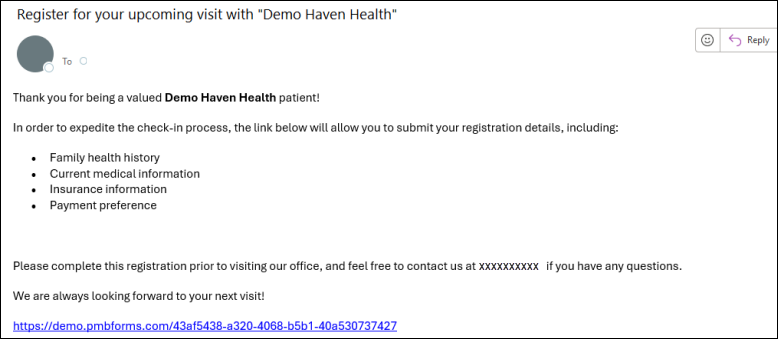
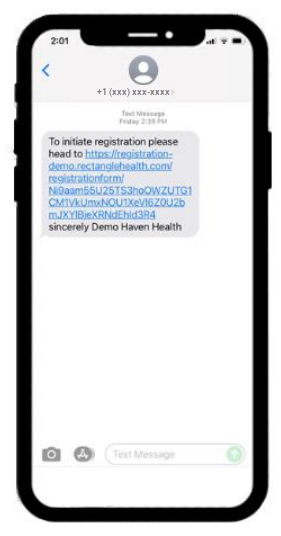
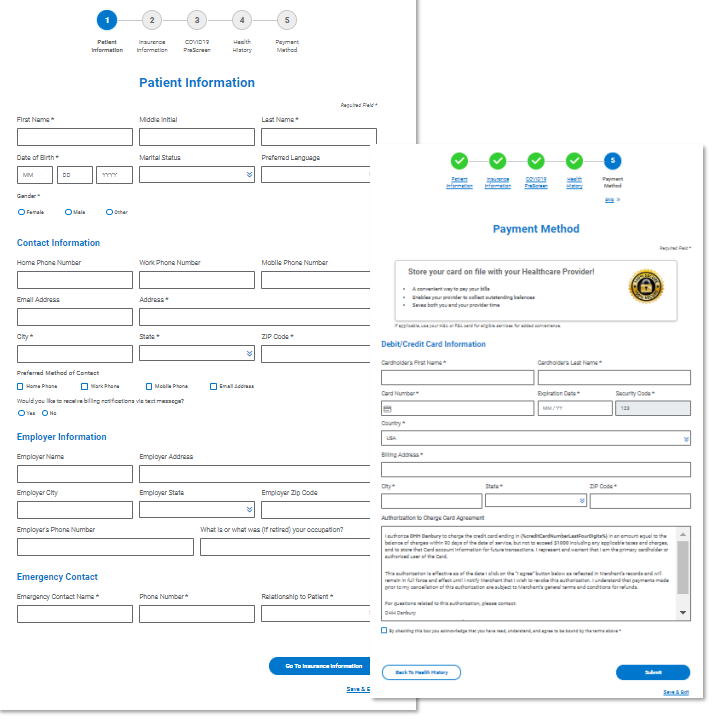
These are example screens of the digital registration patient experience.
Email invitation:
Text message invitation:
Browser view of the questionnaire and Payment Method pages:
Need Help?
If you do not see Patient Express as an option in your menu within Bridge Payments:
- Contact your practice administrator.
- Contact Customer Care at 800-337-3630 (option 3) or [email protected].
To start using digital forms or to change your practice’s form type:
- Contact Customer Care at [email protected] or call 800-337-3630 (option 3).